 SnagBane
Guides / Update SnagBane
Update SnagBane
New versions install with one click from inside SnagBane — no reinstall, no files to copy, no data to move. Every update is signed, backed up first and can be undone.
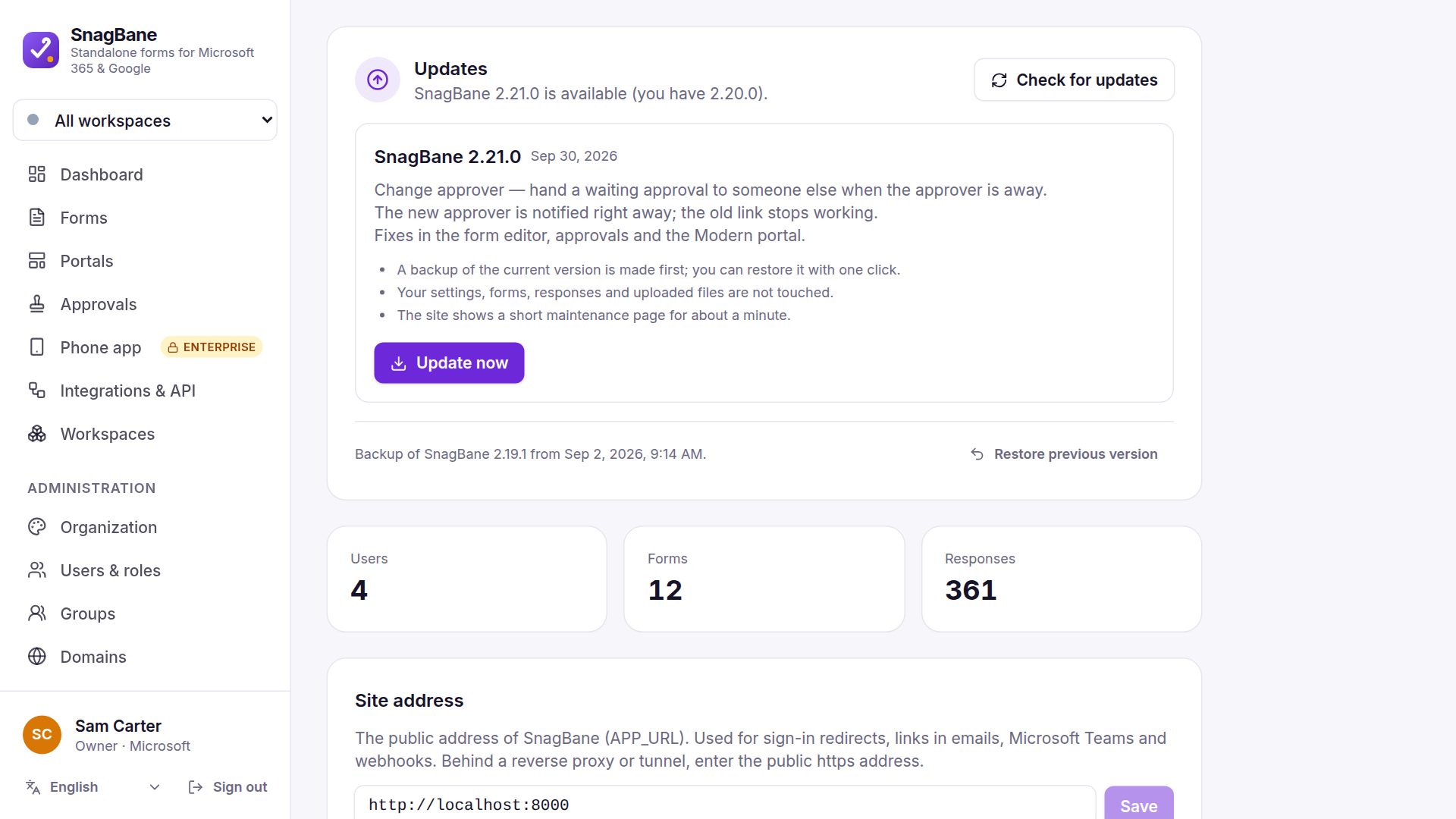
Steps
- Go to Administration → System. SnagBane checks for a new version once a day; click Check for updates to look now.
- When a version is offered, read what’s new and click Update now (only the Owner can).
- SnagBane downloads the release and checks its digital signature — a package not signed by SnagBane is refused.
- It saves a backup of the current version, shows a short maintenance page, copies the new files and updates the database — usually in about a minute. Your settings, forms, responses and uploaded files are not touched.
- Something not right? Restore previous version puts the backup back with one click.
Also from the command line: php artisan snagbane:update. Docker keeps the update in the storage volume across restarts. Details: Updating.