Self-hosted · your server, your database32 languagesDocker, VPS or cPanel

Forms and approvals
that run on your own server.

SnagBane replaces Microsoft Forms and Google Forms with forms that branch, approvals that route themselves, and one portal for every request — while every answer and file stays in your own database.

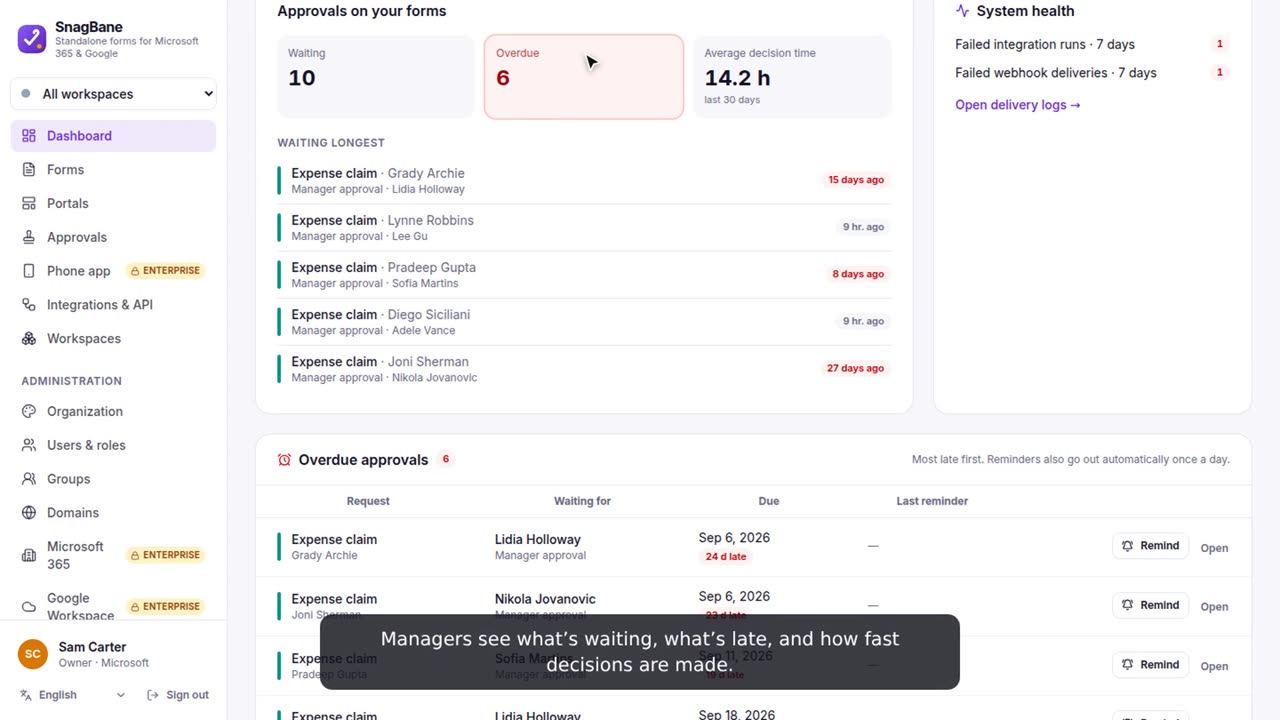
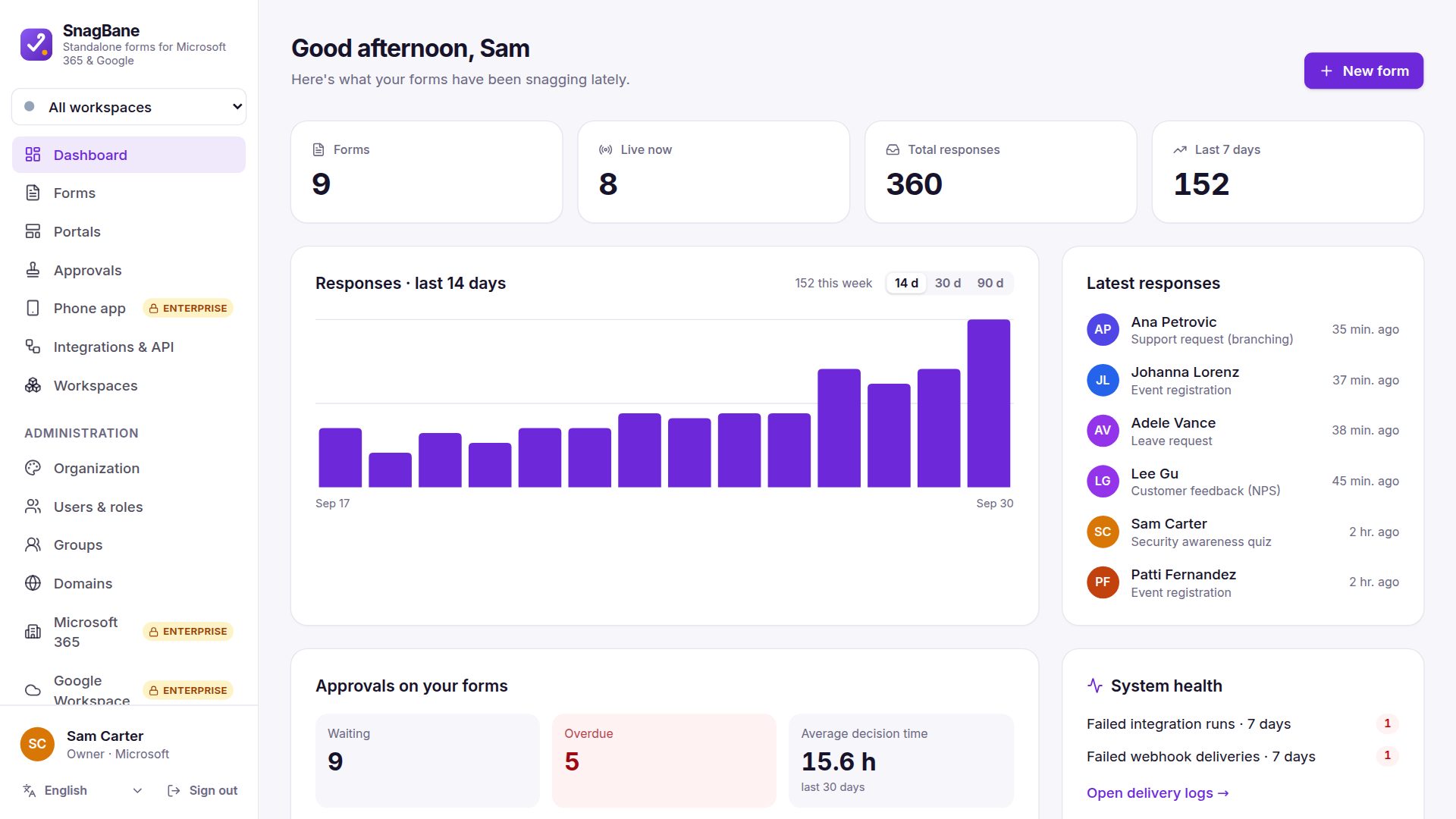
SnagBane dashboard with responses, approvals and overdue requests
Everything requests need

From “please fill this in” to “approved” — without the email threads.

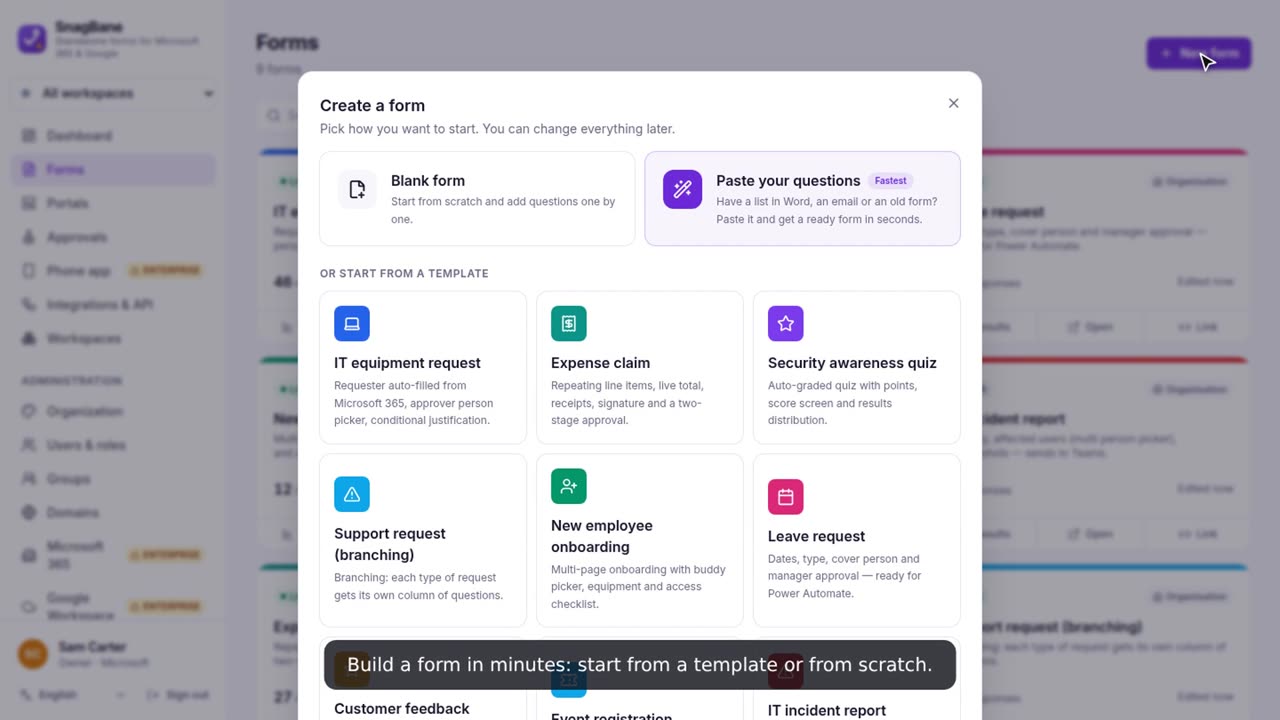
A form builder people enjoy

Templates, paste-your-questions, calculations, tables, signatures, file uploads, quizzes and translations. Everything saves as you type.

Branching you can see

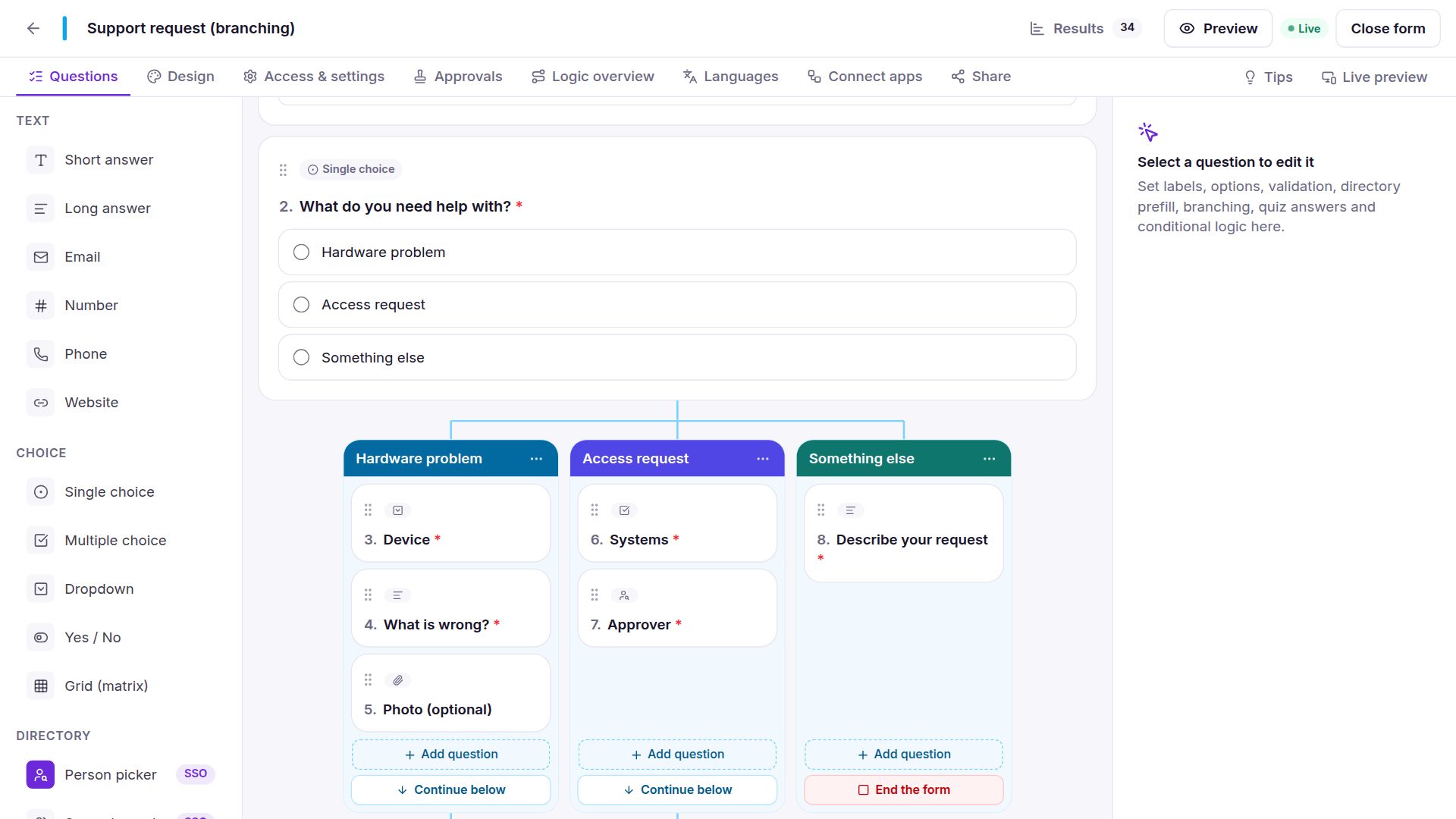
Every answer gets its own column of questions, side by side, joining again below. One simple way to branch.

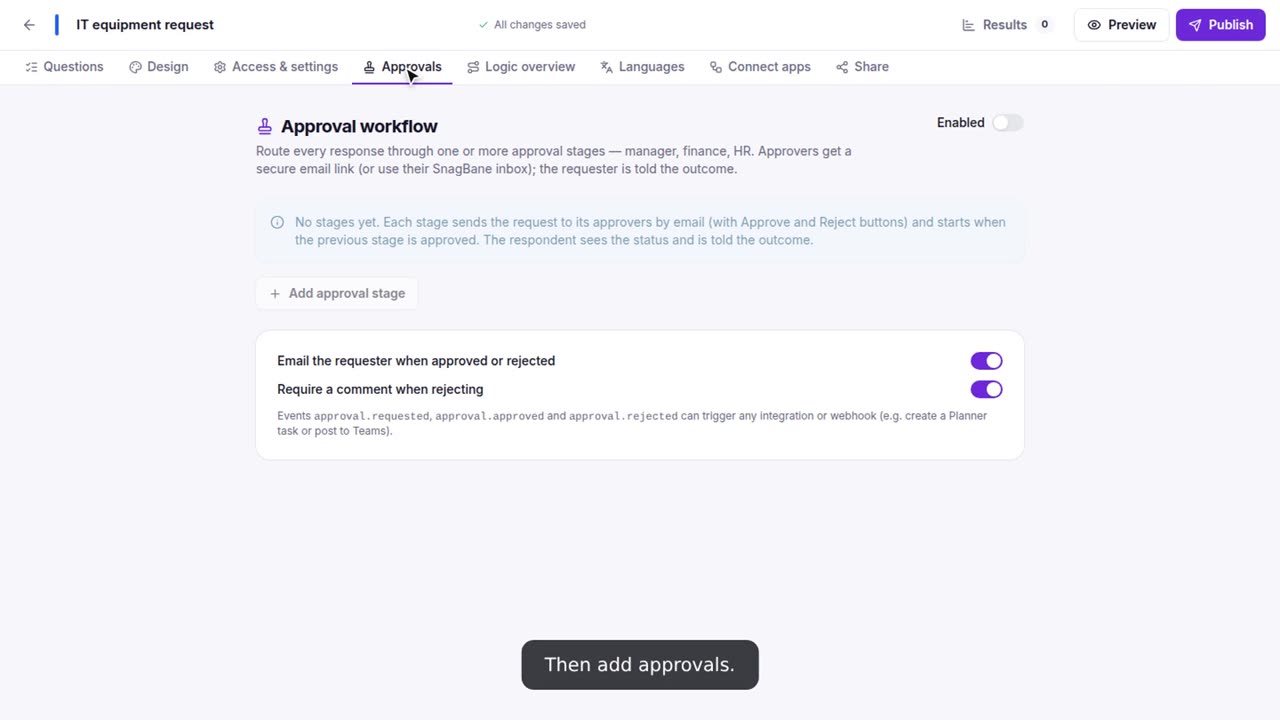
Approvals that route themselves

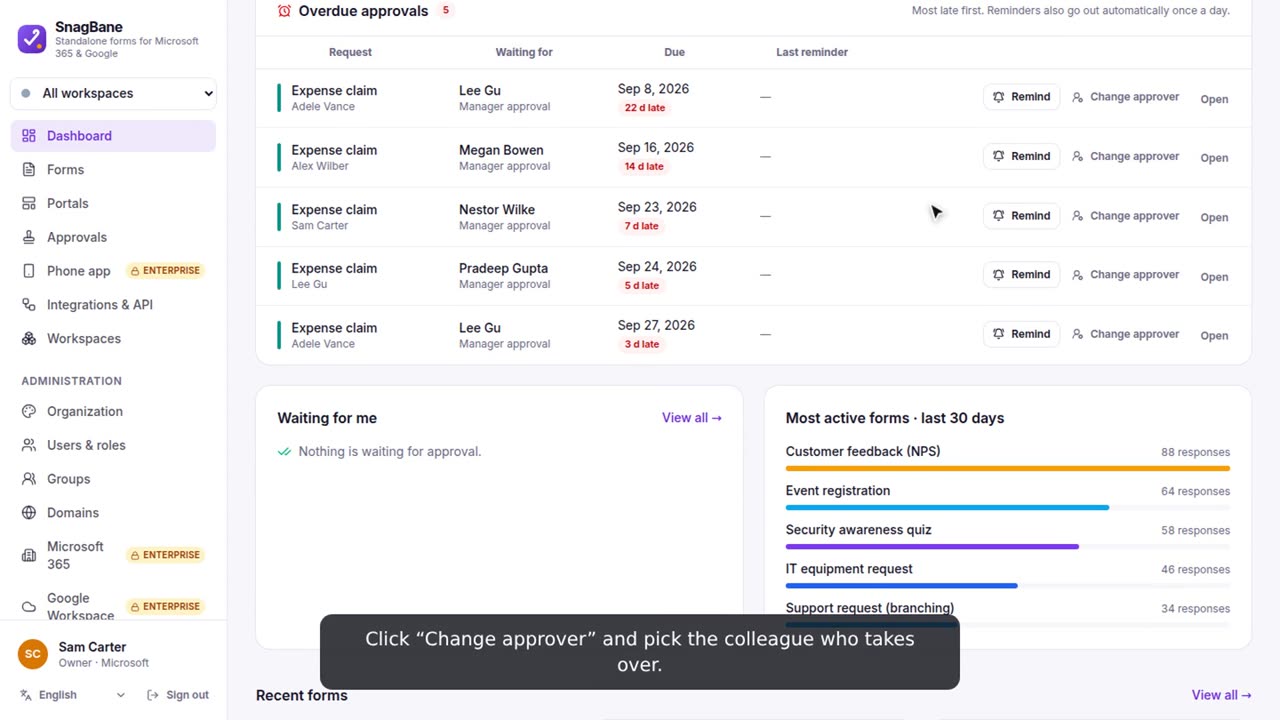
Manager first, then Finance only over 500. Reminders, due dates, “can’t approve your own request”, and change approver when someone is away.

One portal for every request

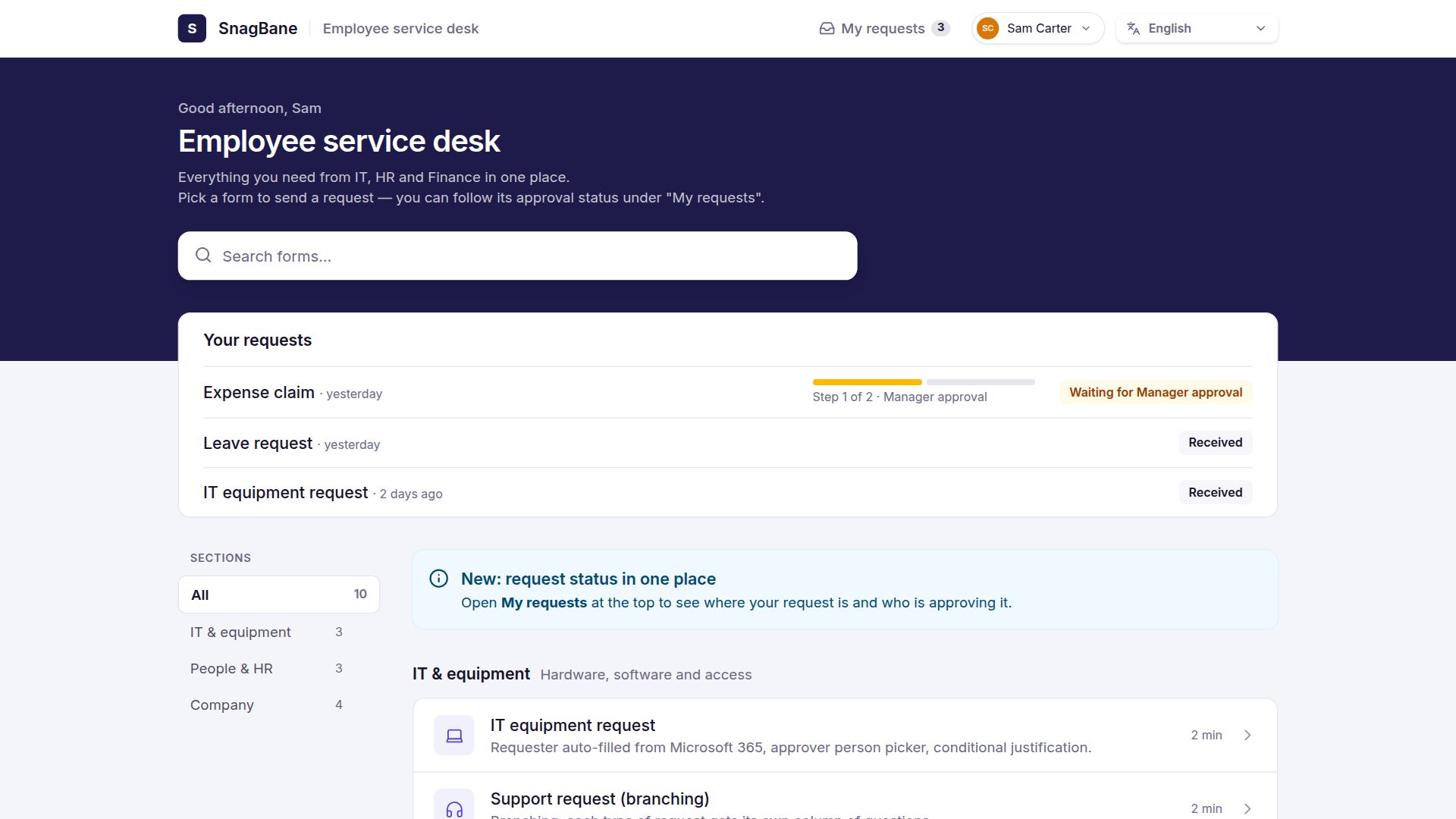
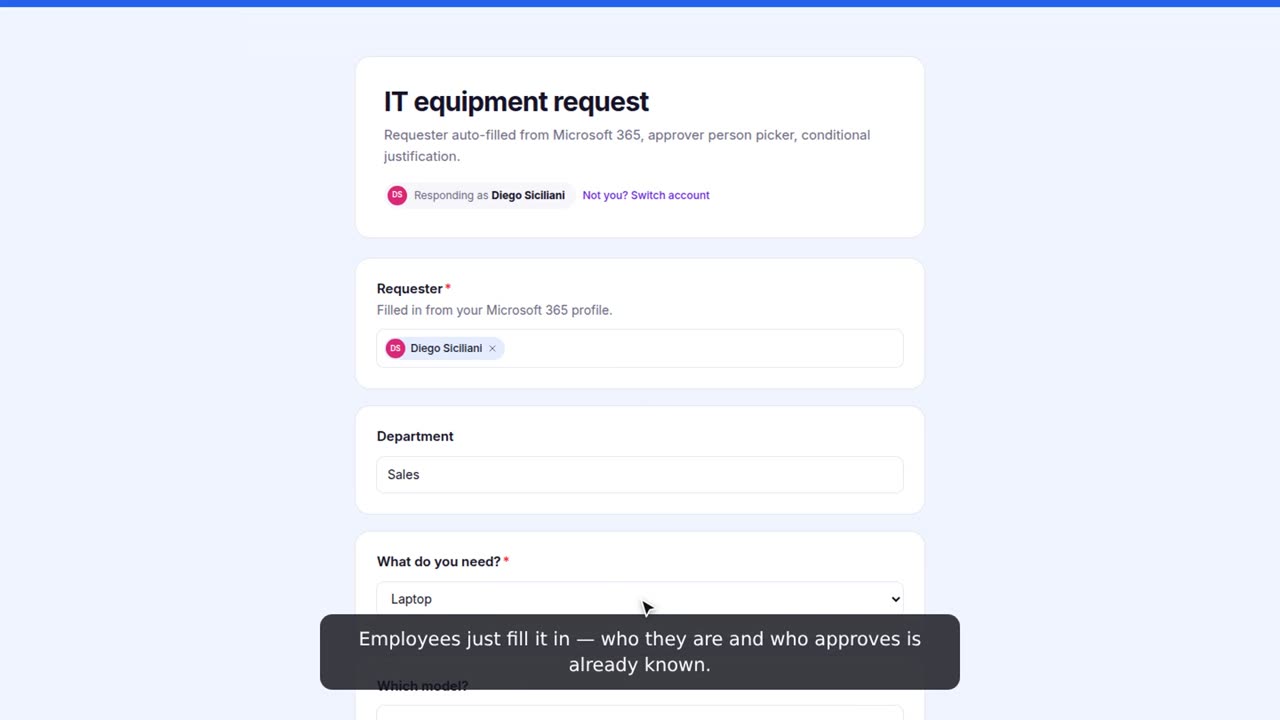
IT, HR and Finance forms on one page, with search and “My requests” so people see who their request is waiting for.

Dashboards that find the stuck ones

What is waiting, what is late, how fast decisions are made. Remind the approver in one click.

Connects to your tools

Signed webhooks, Make, n8n, Notion, Airtable, Dropbox, CRM and newsletter tools — and with Enterprise Microsoft 365, Google, Slack and Power Automate.

Builder

Branching in columns, not in menus.

Pick “Add branching” on a question and each answer gets a column. Drag questions in, choose where each column continues, and see the whole form at a glance.

  • Templates for IT, HR, finance, onboarding, events and feedback
  • Paste your questions from Word or an email and get a form in seconds
  • Calculations, repeating tables, signatures and file uploads
  • Every form in 32 languages, visitors get theirs
Watch the 1-minute guide →

Form builder with three branching columns
Approvals

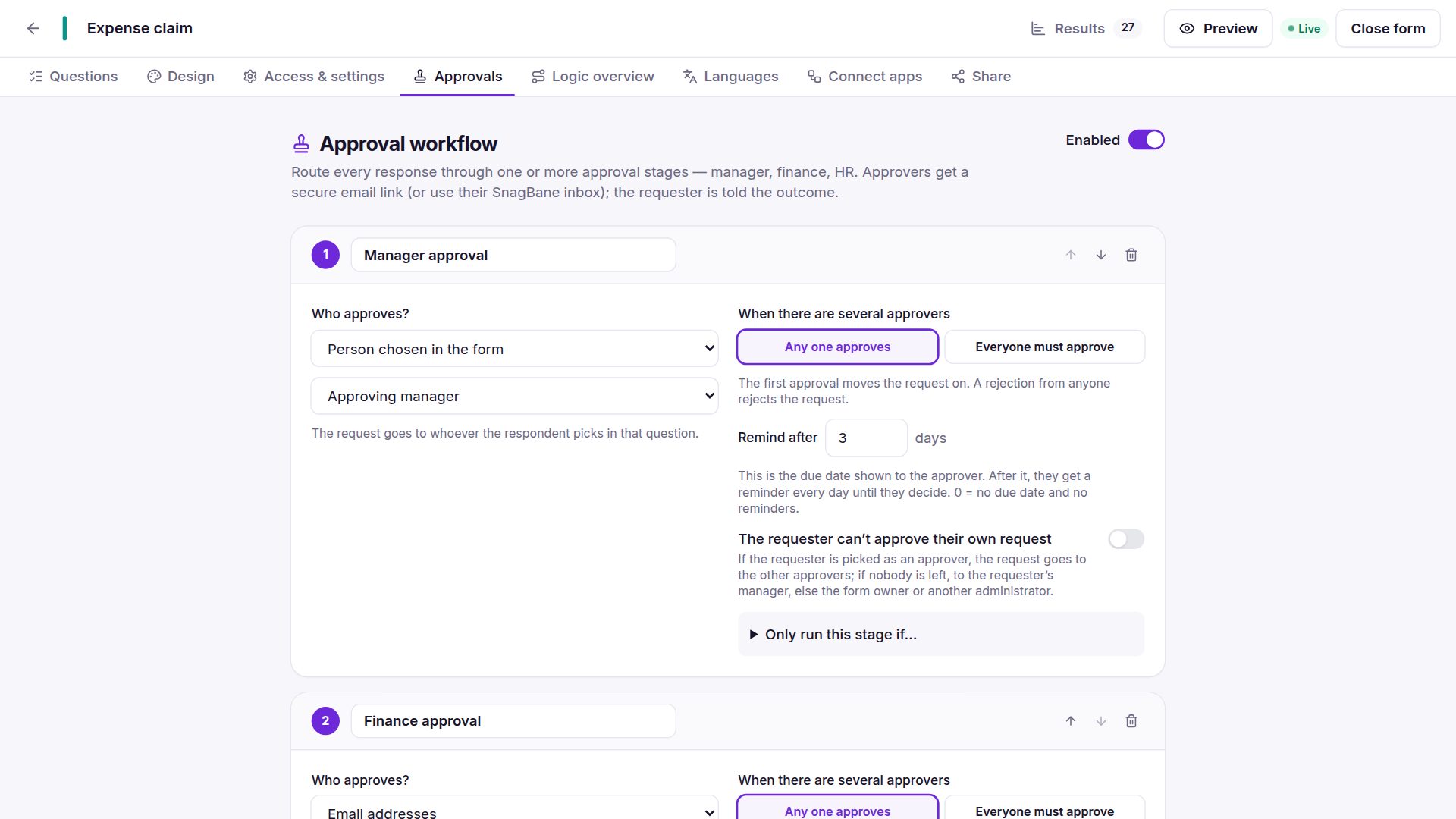
Approvals that know who’s next.

Add stages, pick who approves and when a stage runs. SnagBane emails the approver, reminds them when it’s late, and tells the requester the outcome.

  • The respondent’s manager — from your directory or their profile
  • Conditions per stage, e.g. only when the cost is over 500
  • Any one or everyone approves; due dates and daily reminders
  • Change approver when someone is on holiday

See how →

Approval workflow with manager and finance stages
On the go

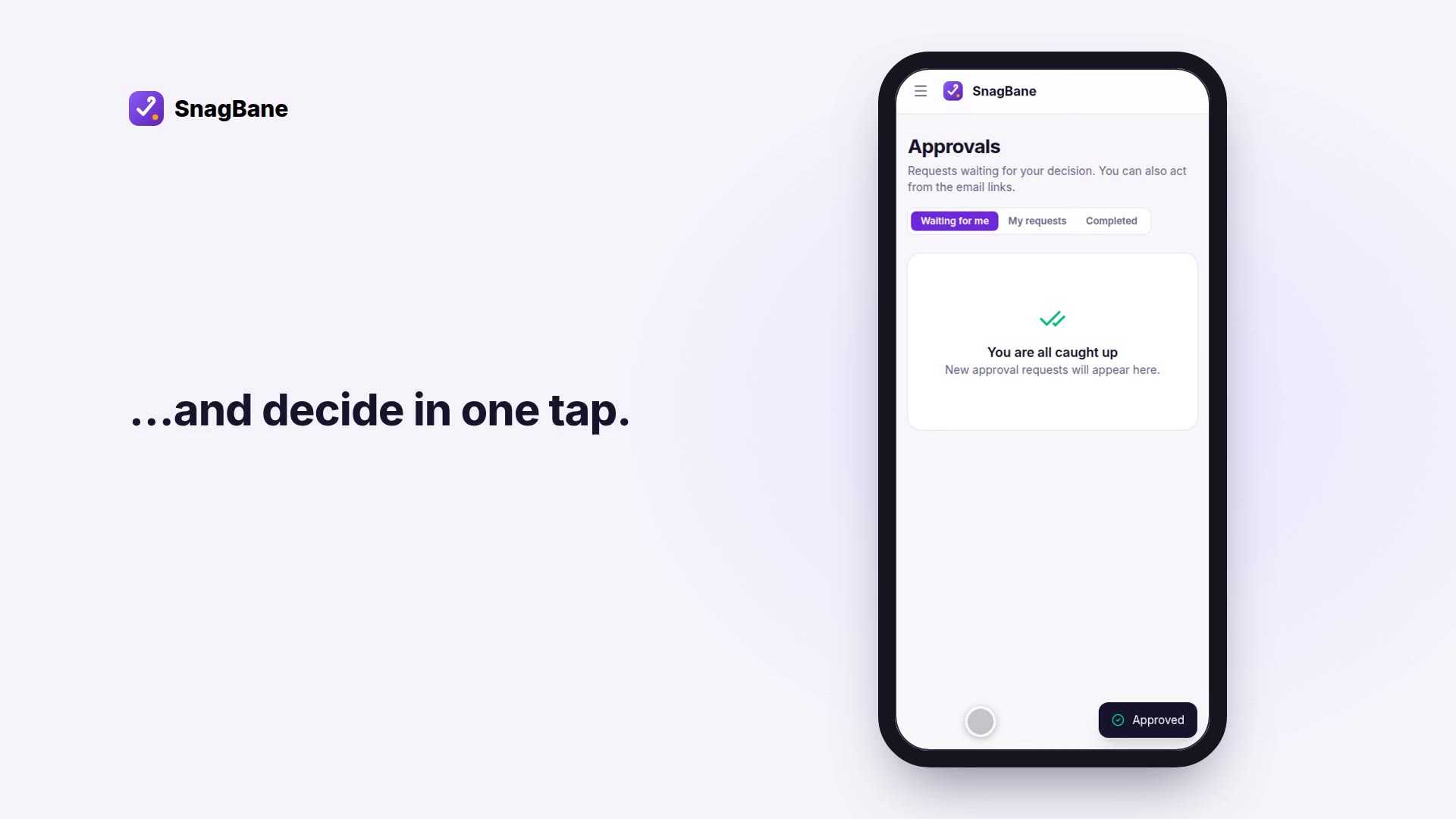
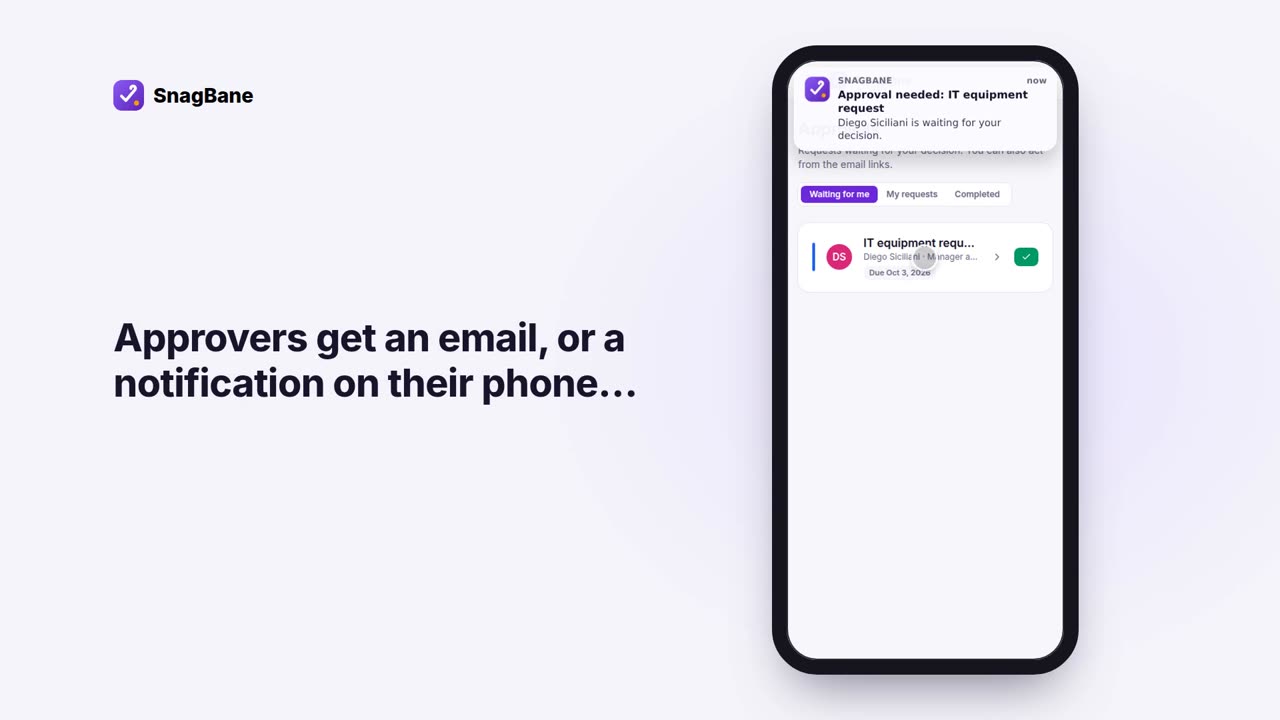
Decide in one tap.

Approvers get an email with Approve and Reject buttons — no account needed. With Enterprise, the SnagBane phone app shows a notification the moment something waits.

  • Works from any email client
  • Approve several requests at once
  • Rejections always carry a comment
Approving a request on a phone
Portals

Everything employees need, on one page.

Group forms by department, add FAQs and contacts, and let people follow every request. Choose a modern or classic look, in your colours and on your own domain.

Build a portal →

Employee service desk portal
Product tour

See SnagBane in three minutes.

A form with branching, a two-step approval, an employee request and a manager approving on the phone.

Your server, your data

Built for IT teams who have to say yes to security.

SnagBane is software you install — not a cloud service. Forms, answers and files live in your database, behind your firewall.

Self-hosted

Docker, VPS or cPanel. MySQL, MariaDB, PostgreSQL or SQLite.

Signed updates

Every update is verified (Ed25519) before it installs, with one-click rollback.

Roles & workspaces

Owners, admins, editors, viewers and respondents; two-step verification.

Audit log to your SIEM

Every action as JSON lines for Sentinel, Elastic or Splunk, plus CSV export.

Enterprise

Connect Microsoft 365, Google Workspace and Okta.

Sign in with your company account, pick people from your directory, send answers to SharePoint and Excel, run Power Automate flows and put portals in Microsoft Teams.

MMicrosoft 365SPSharePointXLExcelMTTeamsPAPower AutomateGGoogle WorkspaceOKOktaSLSlackZPZapier{}REST API

Compare editions

Questions

Is the Community edition really free?

Yes — for any number of installations, including commercial use inside your organisation. It is the complete app: builder, branching, approvals, portals, workspaces, email and integrations. See the licence agreement.

Do you see our data?

No. SnagBane runs on your server and stores everything in your database. The licence and update checks send only what they need (for example your installation ID and version) — see the privacy policy.

What do I need to run it?

PHP 8.3 or newer and a database (MySQL 8 / MariaDB 10.6+, PostgreSQL 14+ or SQLite), or simply Docker. The download already contains everything else.

Can I move from Community to Enterprise later?

Yes. Activate a licence in Administration → License and install the Enterprise module from Administration → System → Updates. Your data and settings stay.

What happens if an Enterprise licence ends?

Enterprise features pause right away; nothing is deleted. Forms, responses and approvals keep working, and everything continues when the licence is active again.

Start with the free Community edition.

Install it in minutes. Upgrade to Enterprise when you connect Microsoft 365, Google or Okta.

Download freeSee pricing