 SnagBane
Guides / Activate Enterprise
Activate Enterprise
Buying Enterprise gives you a licence key. Activating it on your installation unlocks Microsoft 365, Google Workspace, Okta, the phone app and the rest.
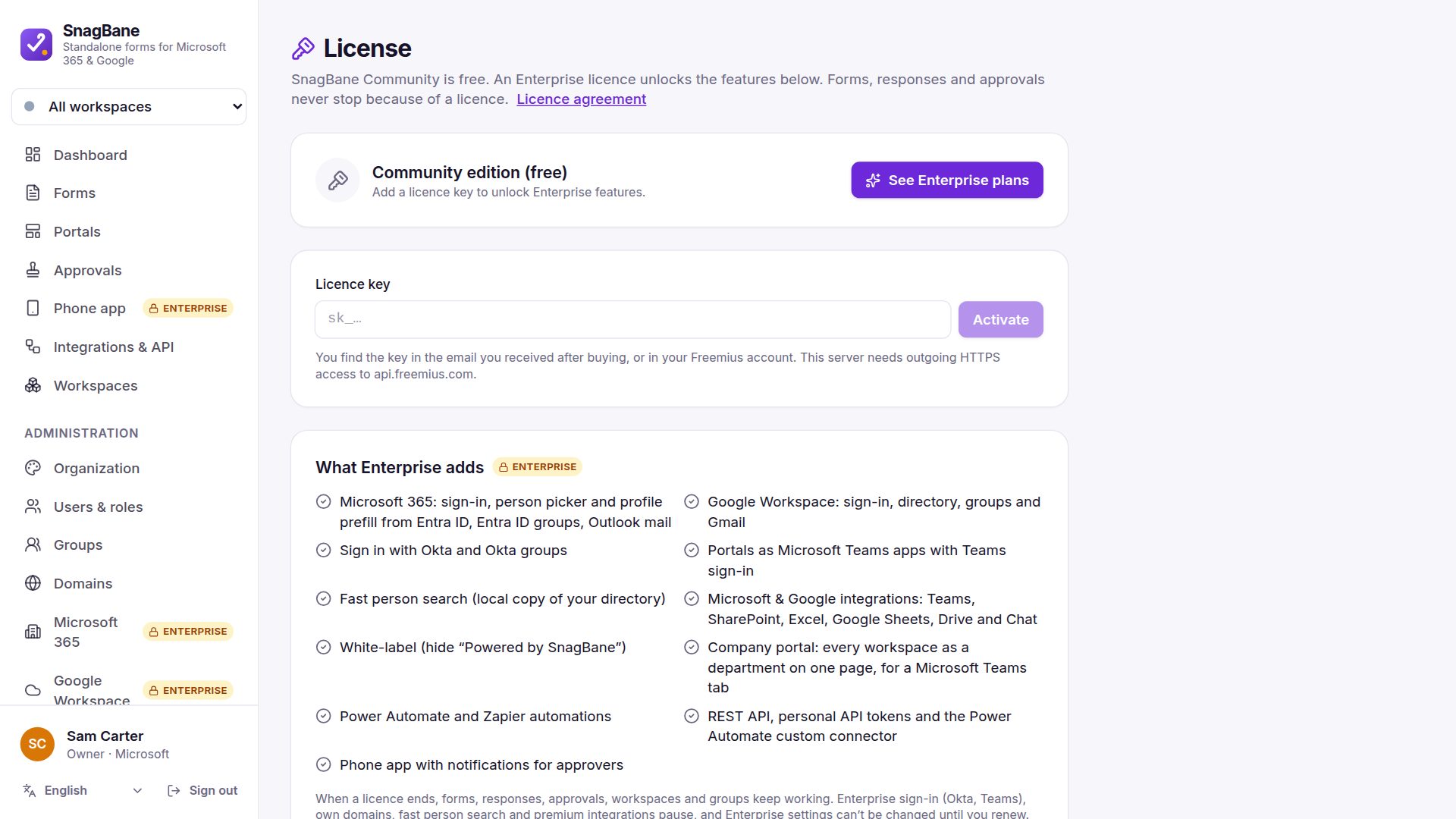
Steps
- Buy Enterprise. The licence key arrives by email and is always in your Freemius account.
- In SnagBane go to Administration → License, paste the key and click Activate. The server needs outgoing HTTPS to
api.freemius.com. - Go to Administration → System → Updates and click Get SnagBane Enterprise. It installs the Enterprise module over your copy — your data and settings stay.
- Connect what you use: Microsoft 365, Google Workspace or Okta.
One licence covers one installation. Deactivate on this server frees it for another server.